
Trading Automation
Trading Order Lifecycle Explained: From Signal to Fill, Partial Fill, Cancel & Reconciliation
Understand the trading order management process: submit, pending new, acknowledged, partial fill, cancel pending, rejection, timeout and broker reconciliation.
On this page+
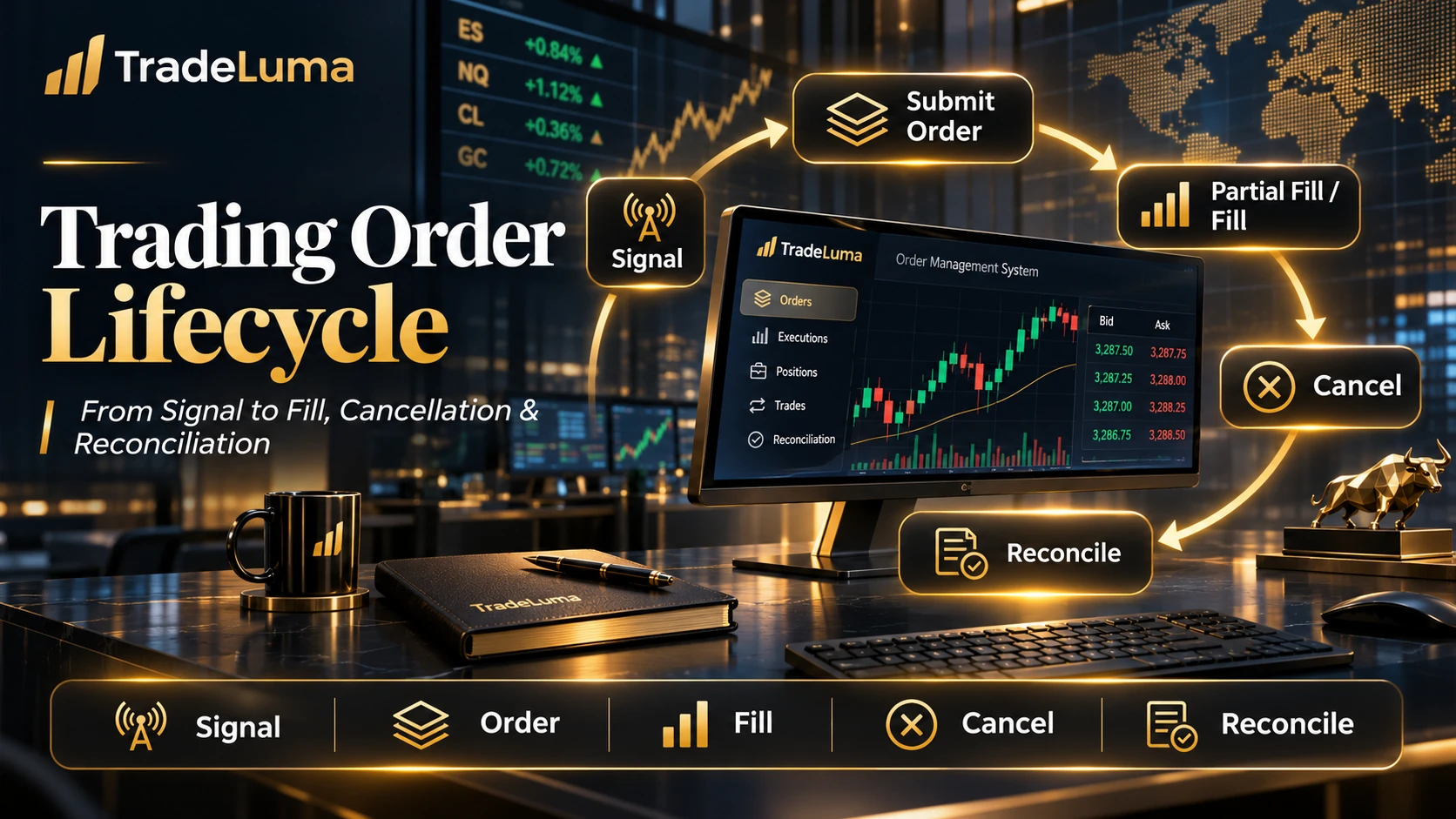
A trading alert is not the same thing as an accepted broker order, and an accepted order is not the same thing as an executed trade. That distinction is the missing piece in many discussions of trade order management processes. A signal can be received, authenticated, mapped to an instrument, checked against account permissions, submitted to a broker, acknowledged, partially filled, replaced, canceled or rejected; any network timeout can leave the true broker outcome uncertain. Exchanges and the FIX protocol distinguish order status from the event that changed it. This guide explains the end-to-end flow with concrete examples, how partial fills affect positions, why cancellation is a request rather than a guarantee, and how to reconcile an automation system with the broker without creating duplicate orders.
The complete trading order management process
At the highest level, a controlled order process is: source signal → authenticated instruction → strategy/account and symbol validation → position sizing and order eligibility → broker submission → broker or exchange acknowledgement → execution events → recorded position and order reconciliation. There can be additional states for pre-trade risk checks, manual approval, routing, replacement or corrections. An alert may trigger this process but does not replace the other stages.
The crucial design principle is to record the evidence at each boundary. A webhook receipt proves a message reached a system; it does not prove a broker received an order. A broker acknowledgement proves an order was accepted into a defined workflow; it does not necessarily prove shares or contracts traded. Only execution records and broker position state establish what has actually filled.
Step 1: signal intake and idempotency
A TradingView alert or manual order form expresses intent: instrument, direction, strategy, quantity or risk budget, and perhaps intended order type. The receiver should authenticate the source, parse the payload, reject impossible quantities and assign a unique durable client-side request reference. An authenticated signal can still be wrong or duplicated; validation must not stop at verifying the sender.
If two copies of the same alert arrive, the system should be able to recognise that they represent one intended submission rather than creating two independent broker orders. A client order reference is useful only if its identity survives restarts and retries and can be correlated with the broker’s own records. Different brokers may have different rules for reusing or querying client order IDs.
Step 2: pre-trade checks and order preparation
Before placing an order, distinguish account mode (paper versus live), authorised operator, exchange, instrument type, actual expiry for futures, order type, market session, available funds or margin, position limits and broker permissions. A chart alias such as a continuous futures symbol should not be treated as an executable contract without a deliberate mapping to a listed expiry.
Quantity and exposure calculations should come from verified product specifications rather than symbol name alone. For instance, two contracts with similar names may have different multipliers. If a validation rule rejects the instruction before broker submission, the system should report a local validation failure, not invent an exchange rejection.
Step 3: submitted is not yet accepted
Once an order payload is sent to the broker, a local record may move into submitted or pending acknowledgement. FIX-style terminology such as Pending New describes an order received by the receiving system but not yet definitively accepted for execution. A slow or interrupted connection does not automatically mean the broker rejected the request.
This period is especially dangerous for naive retry logic. The remote order might have been received and accepted moments before the client timed out. Resending with a fresh unrelated reference can create a second active order. Reconcile the original client reference or broker state first; where the broker provides idempotency support, use the published contract precisely.
Step 4: New or Working means accepted, not filled
An accepted limit order can rest on the order book without any execution. Some broker interfaces call this status New, Submitted, Working or Open. These names are not perfectly portable, so always map broker-specific codes to an internal state model while retaining the raw status and last update timestamp.
Receiving an acceptance acknowledgement should not update the actual trading position as though it were already filled. The system may reserve buying power or display a potential exposure estimate, but the executed quantity remains zero until a fill event arrives. Treating accepted quantity as filled can produce erroneous protective exits.
Step 5: partial fills change real exposure
Suppose a hypothetical trader submits a limit buy for 100 shares. The broker fills 40 shares and leaves 60 shares working. The actual long position has increased by 40 shares, not 100 and not zero. If the trader cancels the remaining 60 and receives confirmation, the final state can be Canceled with 40 cumulative shares filled, depending on the broker’s reporting model.
Keep separate fields for ordered quantity, cumulative filled quantity, remaining quantity, average fill price, fees, and current broker order status. A partially filled futures order can be more consequential because every filled contract already carries its own leveraged exposure. Do not assume a cancellation undoes previously executed trades.
Step 6: Filled is a terminal execution state
When cumulative executed quantity equals the intended executable order quantity, the order becomes Filled under ordinary status semantics. At this point the system has execution evidence, but risk management may still require fetching or confirming the broker position, open protective orders, account mode and average price.
Multiple individual executions can arrive for the same order at different prices. A weighted average price should use the actual quantities and fills, not the last price alone. If fees are reported later, realised P&L and execution cost may need updating while preserving the immutable fill history.
Step 7: Cancel requested versus Canceled
A cancel request tells the broker that the client wants to stop further execution. Pending Cancel is an intermediate state, not a completed cancellation. The broker may confirm cancellation, reject the cancel request or report additional fills while processing it. Marketable orders can fill during that race window.
For example, with 60 units left working, a cancel request might be sent just before another 15 units match. A later cancellation may leave 55 units filled and 45 canceled. Automation must use authoritative execution quantities rather than simply marking the originally requested cancellation amount as completed.
Step 8: Rejected, Expired and replaced orders
Rejected indicates the broker or exchange did not accept the proposed order in the reported context. Possible reasons include invalid contract, insufficient buying power, session restrictions, unsupported type, missing permissions or an out-of-band price. Never infer the cause solely from the status word; capture the specific reject code and message.
Expired can mean an order reached its time-in-force deadline without further executions. A replacement order changes one or more order attributes, subject to venue rules. Some brokers treat a modification as a new linked order, while others retain a stable identifier. The application should preserve the original and replacement chain so the audit trail remains intelligible.
Timeout and uncertain broker outcome
Suppose an order-submission request reaches a brokerage server but the network drops before its response returns. The automation system now knows it attempted submission; it does not know whether the broker rejected, accepted or executed it. Calling this status Rejected or Failed would be misleading, and immediate blind resubmission is unsafe.
A more accurate operational state is uncertain or pending reconciliation. Query broker working orders, recent executions, account positions and any supported order-reference lookup. If uncertainty remains, flag it for review rather than inventing a definitive status. This principle is particularly relevant to cloud workers and webhooks, where connections can be interrupted independent of exchange events.
Order IDs, client references and duplicate protection
Use distinct concepts for an inbound signal ID, an internally durable order-intent ID, any broker-supplied client order reference, the broker’s order ID, and exchange executions. One strategy signal can produce a rejected validation event, one broker order, or several child orders depending on the trading design; the IDs must not be collapsed into one ambiguous field.
Idempotency means processing the same logical request twice does not create an unintended second order. Implementing it usually requires durable state, uniqueness rules and safe handling of concurrent requests. A simple in-memory deduplication window can disappear after a process restart and should not be mistaken for complete protection.
Broker reconciliation: source of truth versus local cache
A trading dashboard is usually a view of system records, while the broker maintains the authoritative orders, executions and positions for that brokerage account. Reconciliation compares local intents, order states, fills and working orders to broker-reported facts; differences need investigation instead of silent overwriting.
Important discrepancy examples include a local order marked working after the broker canceled it, a position that includes a partial fill missing from local history, a duplicate submission created by a retry, and a protective stop linked to the wrong account. Reconciliation should be possible after reconnecting, restarting an application or recovering from a broker gateway outage.
How a state-machine model prevents bad assumptions
A robust order state model specifies allowed transitions but also handles events arriving late, out of order or in broker-specific sequences. A fill can be reported while a cancel is pending. A terminal local state should not suppress a later authoritative execution correction. Store raw broker events and build a derived view with explicit rules.
The system should never treat a pending cancel as a flat position, never treat an HTTP timeout as a definitive broker rejection, and never infer total filled quantity from the originally ordered amount. These invariants are more useful than colourful dashboard labels because they protect cash exposure and historical accuracy.
Five practical checks before relying on execution automation
Confirm that the platform distinguishes signal receipt, order submission, broker acknowledgement, fill and position. Confirm partial fills retain both cumulative executed and remaining quantity. Confirm cancellation awaits broker confirmation. Confirm duplicate signals and connection timeouts cannot blindly create more orders. Confirm position reconciliation comes from the broker account, not only the alert log.
Finally, inspect a complete order audit trail, including account mode, contract mapping, order type, quantity, order identifiers, final fill totals, timestamps and any broker warning text. These questions are useful regardless of vendor. They make a more meaningful evaluation checklist than a claim that a trading webhook is fast.
Exchange and FIX documentation for status definitions
CME Group’s order status documentation and FIX execution-report standards describe useful concepts such as Pending New, New, Partially Filled, Filled, Pending Cancel, Canceled and Rejected. The official documents distinguish an order’s current state from the execution event that caused a change. Not every broker exposes the full vocabulary through every API.
This article explains industry-wide execution concepts, not a promise that TradeLuma or any named broker implements every example state exactly as shown. Before designing a system, verify the specific provider’s API, its order-ID model, cancel/replace semantics, account permissions and recovery behaviour. Actual order state always comes from the broker or exchange.
Frequently asked questions
What is a trading order lifecycle?+
The sequence from an intended trade instruction through submission, acknowledgement, working status, executions, cancellation or rejection, and final broker reconciliation.
Is an acknowledged broker order already a trade?+
No. An accepted or working order may have zero filled quantity. A trade occurs only when an execution is reported.
What does partially filled mean?+
Some of the ordered shares or contracts have executed, while the remainder is still outstanding or later canceled.
Can an order fill after I press Cancel?+
Yes. A cancel request can race with execution; it is not confirmed until the broker reports the appropriate outcome.
Should a trading bot retry immediately after a network timeout?+
No. The remote broker may have accepted or executed the first request. Reconcile its reference, orders and fills before deciding how to proceed.
What is the difference between order status and execution type in FIX?+
Order status describes the current state, while execution type describes the event being reported, such as an acknowledgement, trade or cancellation.
Does Canceled mean no shares were bought?+
Not necessarily. A partly filled order can be canceled for the unfilled remainder; previously executed quantity remains.
Why reconcile orders with the broker?+
Because the application’s cached state can miss fills, cancellations or changes during network interruptions. The broker’s actual execution and position data must be checked.
Does paper trading guarantee live fills?+
No. Paper trading can test workflows, but real liquidity, market access, slippage and execution timing can differ.
Futures workflows
Explore the strategy side of TradeLuma.
Browse TradeLuma's futures strategy catalogue and the chart, rollover, and reference methodology used for each published strategy.
Explore futures strategies →Continue learning
Related guides.

Why Profitable Backtests Can Fail in Live Trading: From Simulation to Broker Execution
Understand why simulated trading results differ from live execution: costs, fill assumptions, overfitting, rollover, alerts and broker reconciliation.
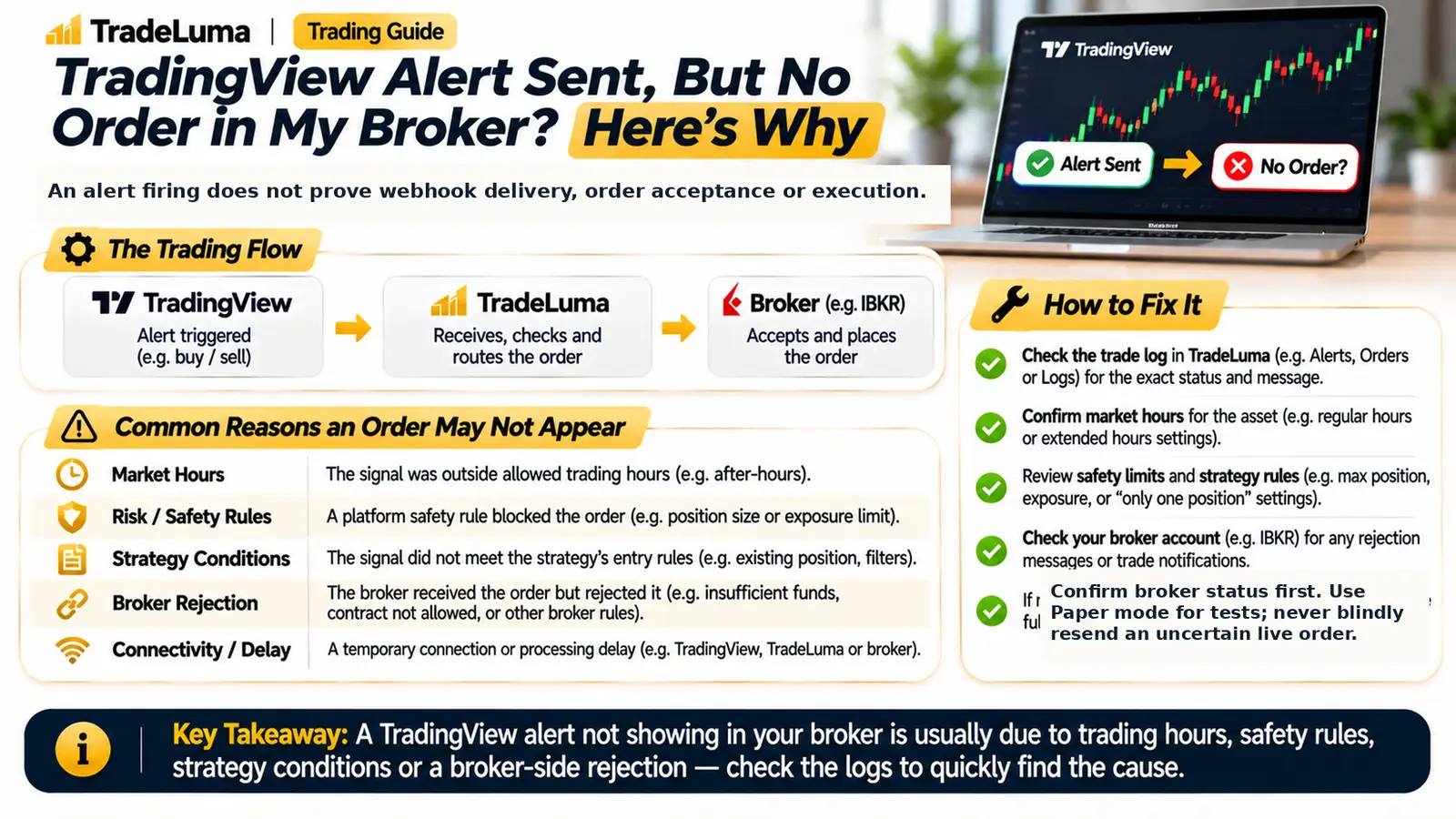
Why Your TradingView Alert Fired but No Broker Order Appeared
Trace webhook delivery, validation, broker acknowledgement and fills without blindly retrying live orders.

Automated trading execution: signal to broker fill
Follow the automated trading execution lifecycle from alert validation and duplicate control to broker submission, fills, reconciliation, and monitoring.