
How it works
From TradingView alert to broker order, with controls in between.
TradeLuma receives your alert, checks the rules you set, sends approved orders to the linked broker account, and shows what happened at every step.
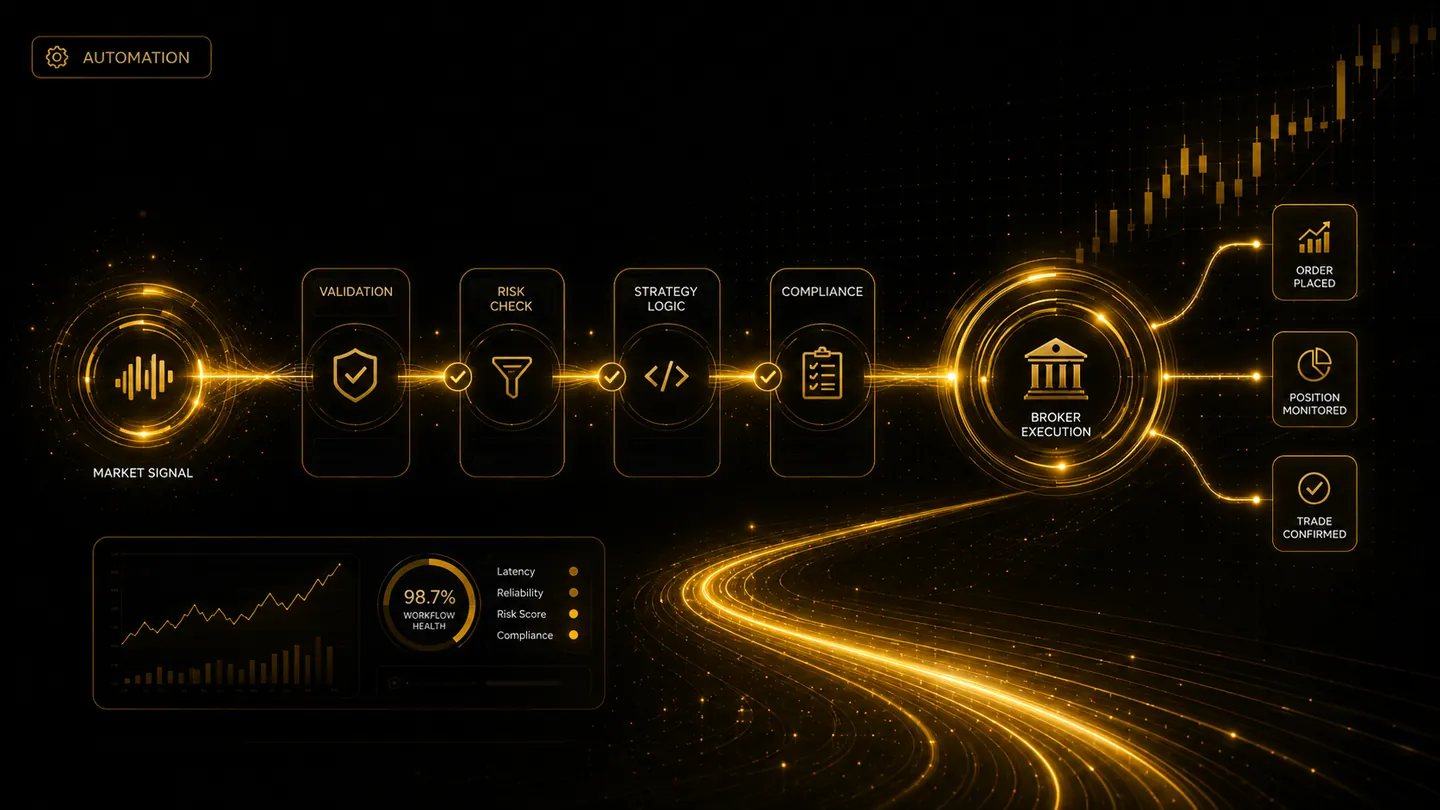
Workflow overview
See the full route before you configure the details.
TradeLuma is designed so alerts, validation checks, broker routing, and order outcomes are visible as distinct stages rather than hidden inside a single automation step.
Create your alert link
TradeLuma gives you a secure link and the exact alert message to use with TradingView.
TradingView sends the alert
When your TradingView alert triggers, it sends the trade details to your TradeLuma account.
TradeLuma checks your rules
The strategy, symbol, quantity, duplicate protection, daily limits, account mode, and broker connection are checked.
The order is sent
Approved orders are sent to the broker account you linked for that strategy, in paper or live mode.
Follow the order
See when the order is submitted, filled, cancelled, rejected, or closed, including attached take-profit and stop-loss orders.
Check the broker account
TradeLuma compares its order and position records with the broker so differences are clearly shown.
Signal types
Use the workflow that matches your strategy.
Simple alerts
Use clear buy, sell, enter, or close alerts with a set symbol and order size.
Strategy alerts
Add strategy-specific symbols, timeframes, allowed directions, order sizes, exits, and daily limits.