
Risk
Daily loss limits and exposure caps in automated trading
A practical guide to daily loss limits, maximum open contracts, per-order sizing, working-order exposure, and kill-switch design in automated trading.
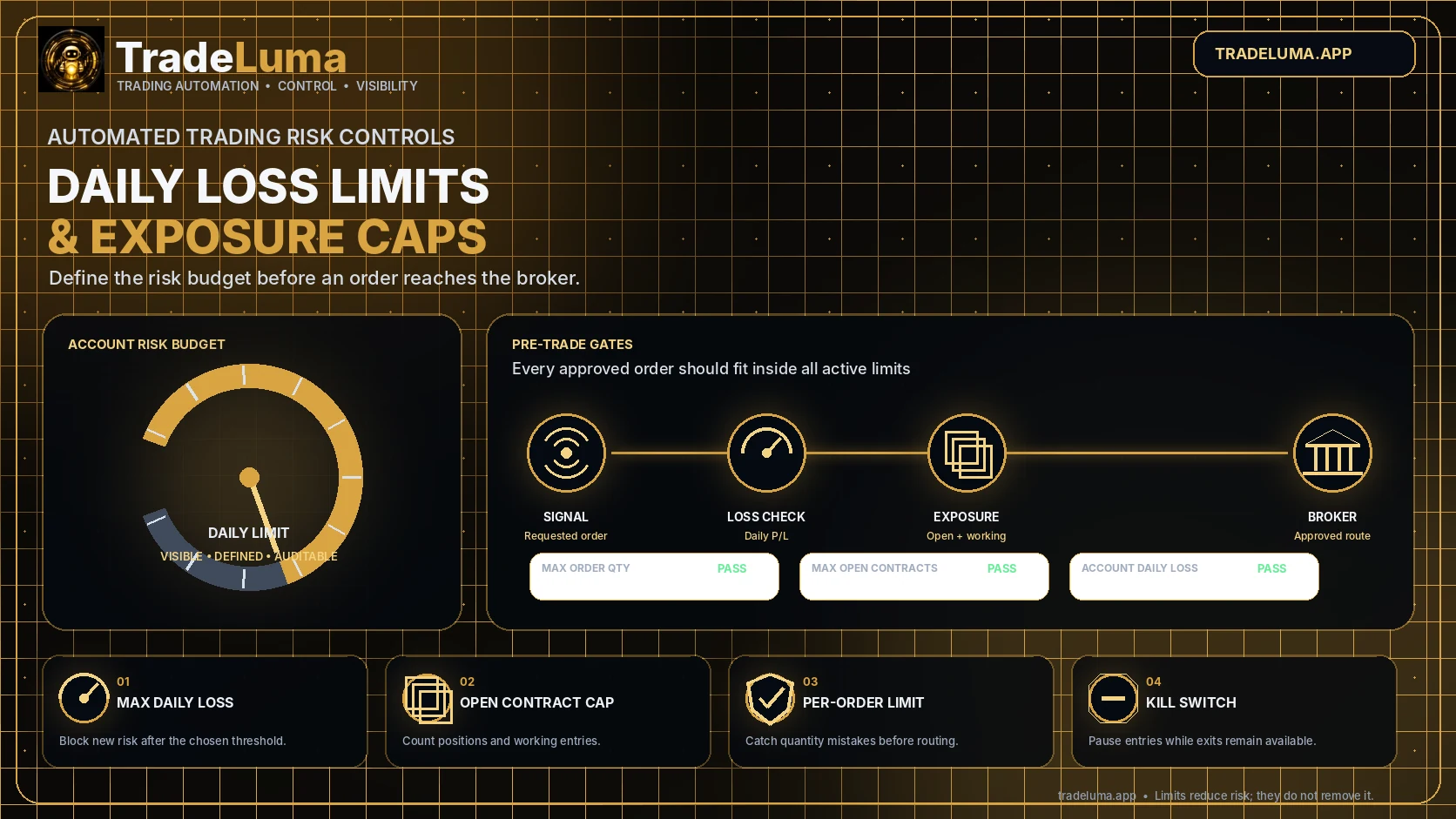
Automated strategies can create risk faster and more consistently than a trader entering orders by hand. That makes pre-defined account limits essential. A daily loss limit can restrict continued trading after a defined drawdown, while exposure caps control how much risk may be open or working at one time. These controls are not predictions and they cannot guarantee the final loss. They are operational boundaries designed to reduce the chance that repeated signals, strategy conflicts, sizing mistakes, or deteriorating market conditions continue unchecked.
Daily loss must have a precise definition
A label such as maximum daily loss sounds clear until the calculation begins. The rule must define the account time zone, start and reset time, opening balance reference, treatment of deposits or withdrawals, realised profit and loss, unrealised profit and loss, commissions, fees, currency conversion, and positions carried from a previous session.
A realised-only rule may allow a large open loss to continue, while a realised-plus-unrealised rule can react to temporary price movement before positions close. Neither method is universally correct. The important requirement is that the chosen calculation is visible, consistent, and tested against the broker data available to the platform.
Exposure caps answer a different risk question
A daily loss limit responds to account performance. An exposure cap limits how much position or working-order risk can exist before that performance is known. Common controls include maximum quantity per order, maximum open contracts per symbol, maximum total open contracts per broker connection, maximum notional exposure, and limits by strategy or direction.
Working entry orders matter because several orders may become filled together. A check that counts only current positions can approve multiple pending entries that collectively exceed the intended cap. The risk engine should reserve or account for approved working exposure until those orders fill, cancel, reject, or expire.
Use layered controls instead of one oversized number
Account-wide limits protect the whole connection, but they may not detect concentration inside one symbol or strategy. Strategy limits can stop one system from consuming the entire risk budget. Symbol limits reduce accidental stacking, while per-order limits catch payload errors before they become account-level problems.
The layers should be deterministic when several strategies submit at the same time. The platform needs a consistent reservation or conflict process so simultaneous alerts do not all see the same unused capacity and each assume it is available.
Decide what happens when a limit is reached
A breached daily loss rule should normally stop instructions that add or re-establish exposure. It should create a clear notification, record the value that triggered the decision, and state whether the pause lasts until manual review or the next defined reset. Silent rejection leaves the trader uncertain about whether the strategy, webhook, broker, or risk control made the decision.
Risk-reducing actions require special treatment. A close request, protective stop, or cancellation should not be blocked merely because the account has reached a loss threshold. The platform must still validate identity, quantity, and broker state, but the policy should distinguish reducing risk from adding it.
Understand why the final loss can exceed the limit
A daily loss limit is not a guaranteed stop price. Market gaps, rapid price movement, slippage, delayed data, partial fills, rejected exits, exchange halts, broker outages, currency movement, and existing positions can cause the account to move beyond the configured threshold before all risk is closed.
The limit may also be designed only to prevent new entries rather than liquidate existing positions. Automatic flattening introduces its own execution and duplicate-order risks, so it should be an explicit, carefully tested emergency feature rather than an assumed consequence of every breach.
Test limits as part of the strategy lifecycle
Use paper mode to test values just below, exactly at, and above each threshold. Include two simultaneous strategies, working orders, a partially filled order, a manual broker position, a restart during the session, and a loss that crosses the limit through unrealised movement rather than a completed trade.
Review the journal after each test. It should show the broker connection, strategy, symbol, requested quantity, measured exposure, daily profit-and-loss value, applicable limit, decision, and any later reset or manual override. When limits change, record who changed them and return the affected workflow to controlled testing.
Frequently asked questions
Should a daily loss limit include unrealised losses?
Including unrealised loss provides earlier protection against open drawdown, while realised-only calculations are simpler and less sensitive to temporary movement. The chosen method should be explicit and aligned with the trader's risk policy.
What should maximum open contracts count?
It should consider broker-confirmed open positions and, where relevant, working entry orders or reserved capacity that could increase exposure if filled.
Does a daily loss limit automatically close positions?
Not necessarily. Many controls only block new exposure. Automatic cancellation or flattening must be separately defined, supported, and tested because it creates additional execution decisions.
Can broker margin replace platform exposure limits?
No. Margin is a broker requirement and may permit more risk than the trader intends. Platform limits express the user's own operational boundaries before an order reaches the broker.
Continue learning
Related TradeLuma guides
Build a controlled automation workflow with TradeLuma
Configure alerts, test in paper mode, apply execution controls, and follow broker outcomes from one workspace.